3D product visualization creates photorealistic product images and animations from a digital model, without requiring a physical photoshoot for every scene. For ecommerce brands, it can mean more content from one model, consistent product variations, fewer repeated setups, and visuals prepared before launch.
This guide explains how product rendering, animation, interactive 3D, and augmented reality (AR) differ, where they can help, and what current evidence can—and cannot—say about business results.
THE BASICS
What Is 3D Product Visualization?
3D product visualization, also called CGI product visualization, uses a digital model, materials, lighting, and a virtual camera to create images or animations of a product. The model may be built from CAD, technical drawings, product references, or an existing 3D asset.
One suitable model can be used to create different kinds of ecommerce and marketing content:
- 3D product renders: Photorealistic still images for product pages, online stores, and marketplaces.
- 3D product animation: Moving visuals that demonstrate features, reveal details, or tell a product story.
- Product variations: Different colours, finishes, and configurations from the same model, when the setup supports them.
- Campaign visuals: Creative for paid advertising, social media, landing pages, and product launches.
Rendered 3D is pre-produced imagery or video. Interactive 3D lets shoppers rotate and zoom a model themselves, while AR can place a product into their surroundings through a device camera. Each format serves a different role.
01 / ECOMMERCE CONTENT
Benefits of 3D Product Visualization for Ecommerce
1. Create more content from one model
A well-prepared digital model can support listing images, website hero visuals, social content in different aspect ratios, feature animations, and seasonal creative. The model and scene become a reusable foundation rather than a one-off image.
2. Keep product variants visually consistent
Colours, finishes, and angles can share the same lighting and camera setup. That helps a large range feel cohesive across a store, while giving shoppers a clearer view of the options available. Accurate materials and product details still need to be verified against the real item.
3. Prepare product advertising before production units exist
When a reliable CAD model or product reference is available, product visuals can be created before the first physical SKU arrives. This can support launch planning, pre-orders, crowdfunding, or advertising schedules that begin before manufacturing is complete.
4. Adapt creative without repeating every photoshoot
Depending on the original scene, a background, camera angle, lighting setup, or material can be changed digitally. Some revisions still require extra modelling or rendering, but a flexible 3D foundation can make campaign variations easier to plan.
5. Explain features through animation
Animation can show how parts fit together, move through product details, or highlight controls and features that are difficult to communicate in a single image. This can be useful for electronics with ports, buttons, screens, or internal components.
The actual time and cost depend on product complexity, the quality of source files, the number of deliverables, and revision scope. Evaluate the complete workflow rather than assuming 3D is always faster or cheaper than photography.
02 / CHOOSING A WORKFLOW
3D Rendering vs Product Photography
Neither approach is universally better. Photography captures physical products and real-world interactions. 3D rendering provides more control over scenes, lighting, views, and variations.
| Need | Product photography | 3D rendering |
|---|---|---|
| Physical sample | Usually needed for each shoot. | Not needed once a suitable model is ready. |
| New colour or finish | May require a new shoot or retouching. | Can be created by changing materials and rendering again. |
| New scene or background | May require a new set or composite. | Can be changed in the digital scene. |
| Pre-launch visuals | Requires a physical unit. | May be possible from CAD or accurate references. |
| Real texture and interaction | Captures the physical product directly. | Must be recreated accurately in 3D. |
| Upfront effort | Often lower for a single simple shoot. | Model creation adds upfront production work. |
Many brands use both: photography for lifestyle scenes and real human interaction, and 3D for product listing imagery, variants, feature animations, and pre-launch assets.
03 / SHOPPER EXPERIENCE
Interactive 3D and AR: When Are They Worth It?
An interactive 3D viewer lets shoppers rotate and zoom a product on the page. AR can use a phone or tablet camera to preview a product in a room. These experiences usually rely on optimized 3D files such as GLB, with USDZ often used for Apple AR experiences.
Interactive 3D and AR can be useful when size, shape, or configuration affects a buying decision—for example, furniture, appliances, or products with multiple components and options. They are less essential for simple items when a clear still image already answers the shopper's questions.
Rendered 3D and interactive 3D are not competing choices. A brand can begin with product images and animation, then add a viewer to its highest-value products where interactive exploration is useful.
04 / CATEGORY USE CASES
Where 3D Product Visualization Helps: Electronics and Furniture
Electronics
Electronics often have important details that a single product photo can miss, such as ports, buttons, screens, materials, and internal construction. Product rendering and animation can help teams create:
- Clean or branded hero renders for product pages and launch campaigns.
- Exploded views that show how components fit together.
- Feature animations for controls, ports, materials, and product use.
- Pre-launch advertising from accurate CAD or product references.
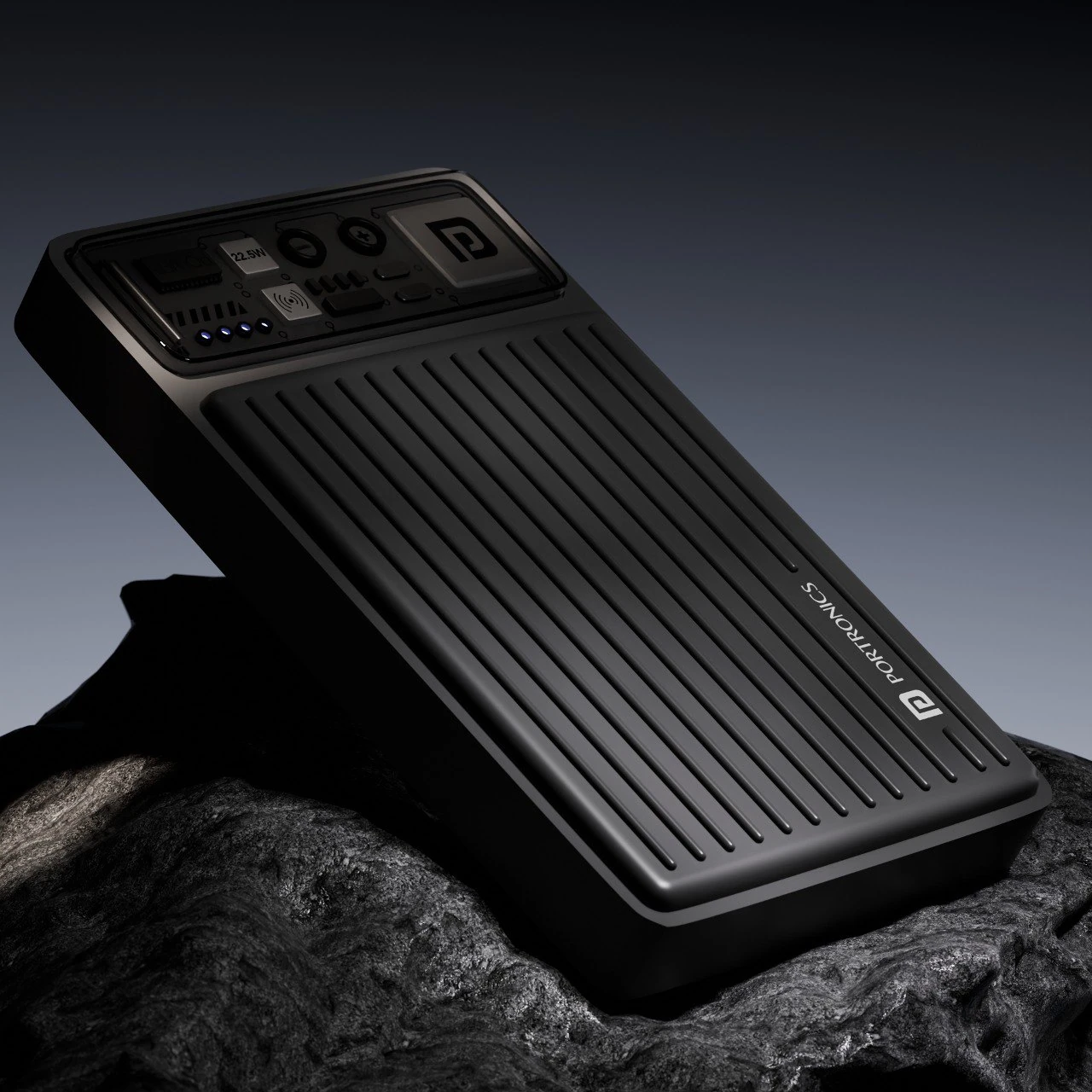

Electronics examples from product visualization projects in my portfolio.
Furniture
Online shoppers cannot physically assess furniture scale, material, or colour through a flat image. A 3D model can support multiple finishes and room scenes, while interactive 3D or AR can help customers explore size and configuration in context.
- Show fabric, wood, and finish variations from one digital model.
- Place a piece in different interior scenes without a new physical set.
- Create alternate camera views and campaign imagery for digital channels.
- Support interactive product exploration when room fit or configuration matters.
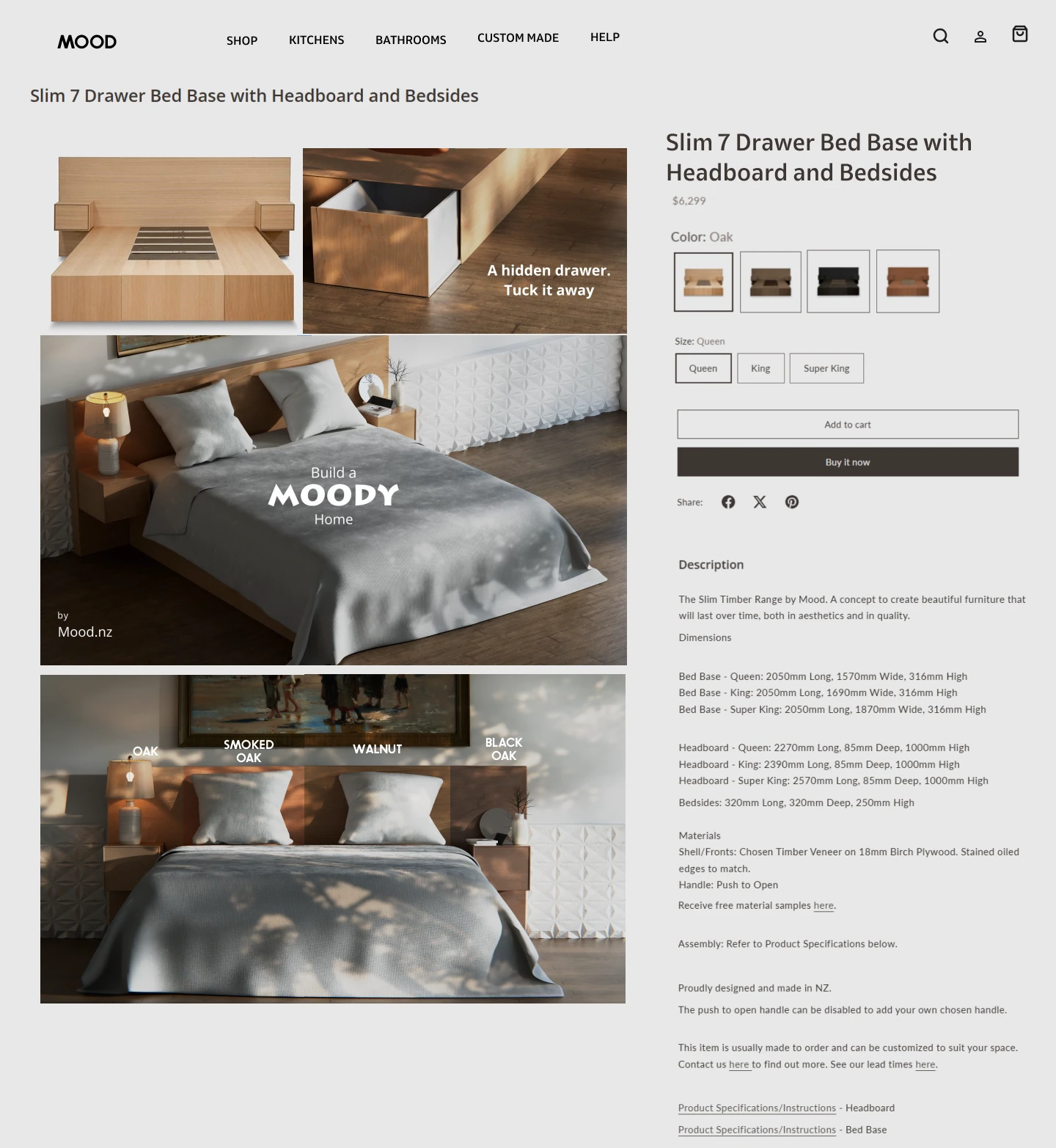
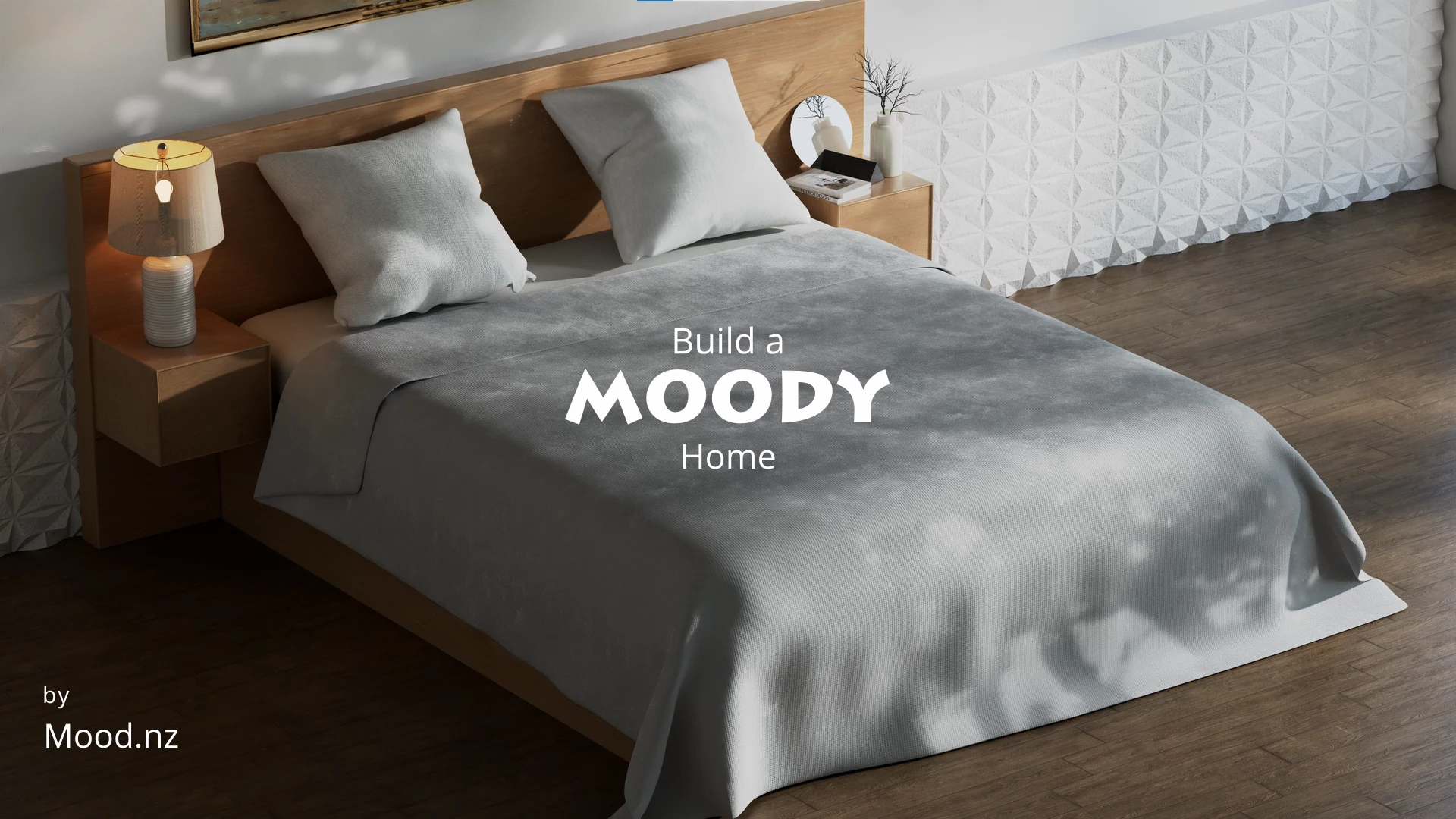
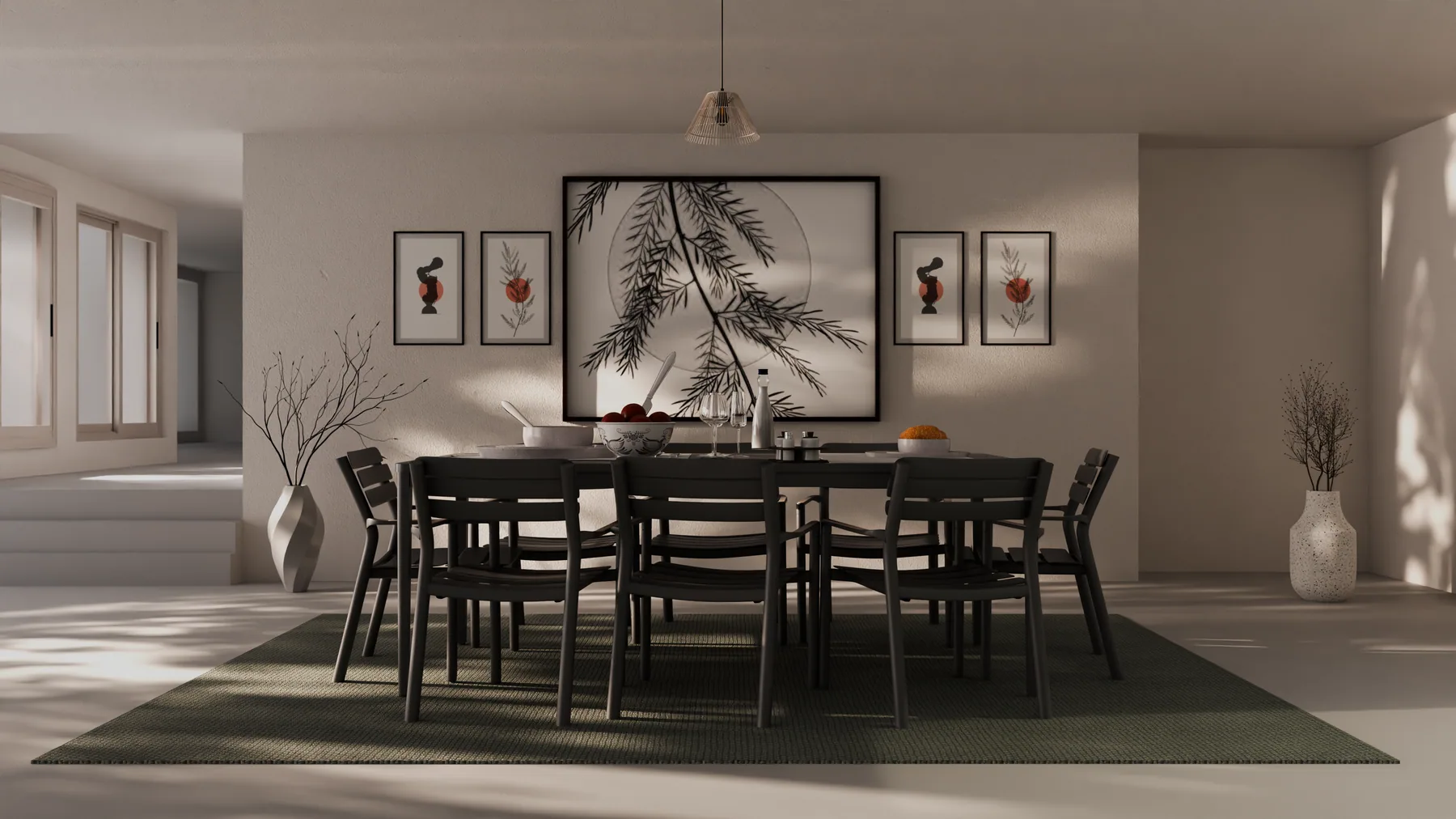
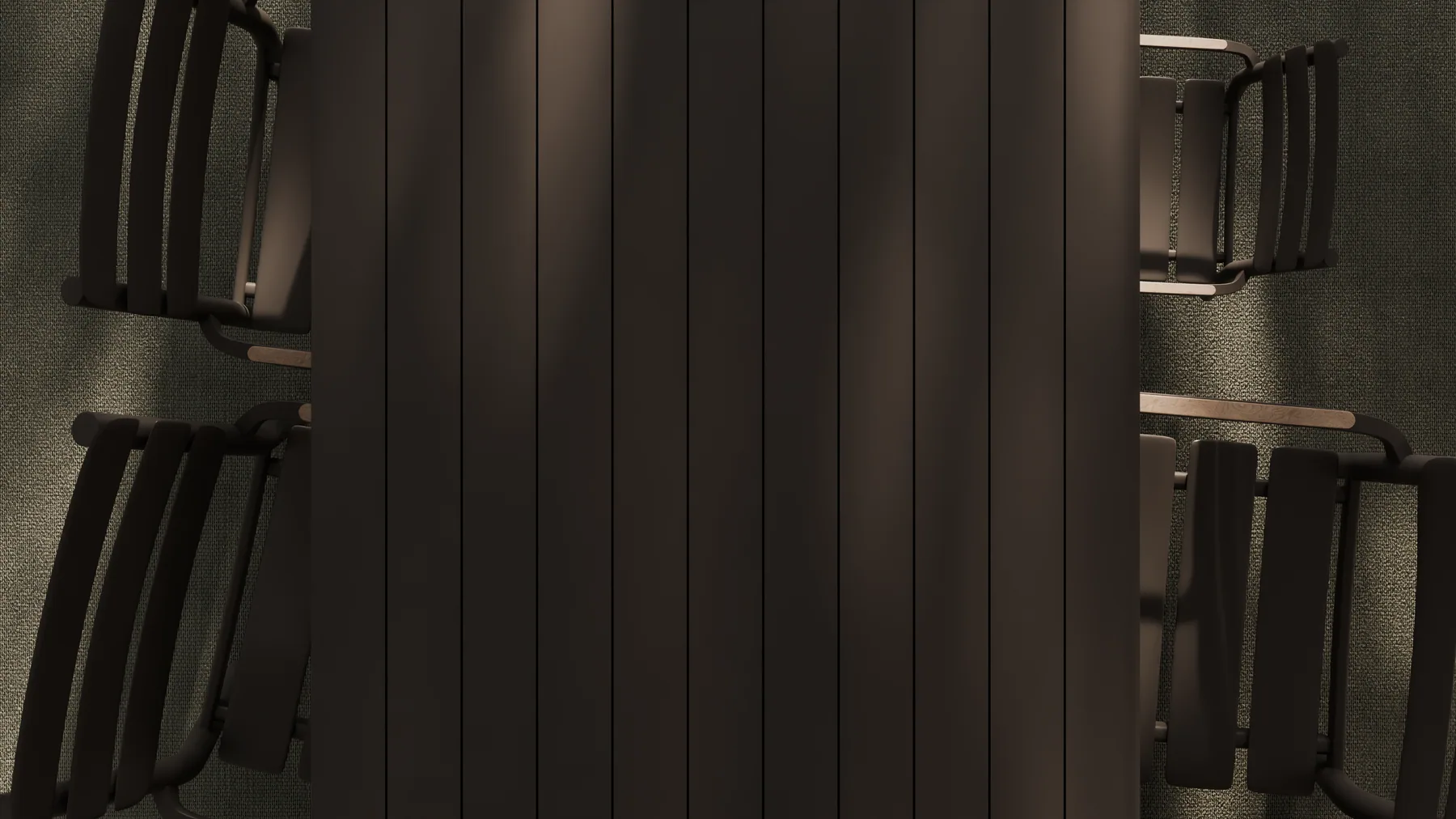
Furniture renders from a personal 3D visualization concept.
05 / WHAT THE EVIDENCE SAYS
Does 3D Product Visualization Improve Sales and Reduce Returns?
Results depend on the product, content format, implementation, and audience. Available platform and seller resources report findings for particular types of product content; they are not guarantees for every ecommerce brand.
Conversions. Shopify's retail conversion rate guide reports merchant data in which products with 3D or AR content achieved conversion rates up to 94% higher than comparable listings without interactive visuals. This is platform-reported data about interactive 3D/AR—not proof that every rendered image or animation produces the same result.
Video. Amazon's published seller resources cite a sales increase of up to 9.7% after adding a product video to a listing that had none. This finding concerns product video generally, not specifically CGI or 3D animation.
Returns. Accurate images can help communicate proportions, materials, finishes, and product details. Interactive 3D or AR may help where size and configuration matter, but there is not enough independently verified evidence to promise a universal reduction in returns. Visual accuracy comes first.
Treat product visuals as part of the customer experience, then test the effect on your own products rather than assuming a reported industry result will apply to every store.
06 / EVALUATION
How to Measure Whether 3D Product Content Is Working
Start with the job the content needs to do. Compare new content with an existing version, and keep other changes consistent where possible. A controlled A/B test can help separate the effect of the visuals from unrelated changes.
| Goal | Compare | Metrics to track |
|---|---|---|
| Improve product pages | New visuals vs current page | Conversion rate, add-to-cart rate, time on page, viewer interactions |
| Improve advertising | 3D ad vs current creative | Click-through rate, cost per acquisition, conversions |
| Improve production workflow | 3D workflow vs previous shoots | Turnaround time, revision rounds, usable assets per project |
Not every project affects every metric. Choose measurements that match the content's purpose.
MAKING THE CHOICE
Is 3D Product Visualization Right for Your Brand?
3D can be a strong fit when you need polished product imagery, repeatable variations, feature-focused animation, or campaign assets built from a consistent model. It can be particularly useful for electronics, furniture, products with multiple options, and tight launch schedules.
It can be a weaker fit when a product's value depends on real human interaction, natural texture variation, or physical details that are difficult to recreate accurately.
The question is not whether 3D should replace every photoshoot, but whether it helps your team create the right content more effectively. For many brands, a mix of photography and 3D is the most practical choice.
QUICK ANSWERS
Frequently Asked Questions
What are the benefits of 3D product visualization for ecommerce?
3D product visualization can help ecommerce brands create multiple assets from one digital model, maintain consistent product variants, prepare visuals before production units exist, adapt scenes without repeating every photoshoot, and use animation to explain product features. Interactive 3D and AR can also help shoppers explore products when size or configuration matters.
Is 3D product rendering better than product photography?
Neither is universally better. Photography captures real-world texture and interaction, while 3D rendering offers control over lighting, environments, angles, and product variants. Many brands use both, choosing the right approach for each product and placement.
What is the difference between 3D product rendering and 3D product animation?
3D product rendering creates a still image from a digital scene. 3D product animation adds movement, such as camera motion, rotating products, feature demonstrations, or animated components.
Does 3D product visualization increase conversion rates?
Some platform-reported ecommerce data has associated interactive 3D or AR content with higher conversion rates, but results vary by product, implementation, and audience. Those findings do not prove that every rendered image or animation produces a lift. Measure results with your own products and customers.
Can 3D product visualization reduce production costs?
A reusable digital model can reduce the need to recreate some physical setups and support multiple assets. Whether it saves money depends on modelling complexity, revisions, project volume, and what production work it replaces.
Can one 3D model be used for multiple marketing assets?
Often, yes. A suitable model can support different camera angles, environments, product variations, still images, animations, and campaign formats. The available outputs depend on how the model and scene are built.
A PRACTICAL NEXT STEP
Build a More Flexible Product Content Workflow
3D product visualization can help ecommerce teams prepare launch assets, create consistent product variations, and develop stills and animation from a reusable digital model. The right mix depends on your product, brief, timeline, and the information your customers need.
Planning a product launch or expanding your ecommerce content?
Sources and further reading
- Shopify: Retail Conversion Rate: How to Calculate It
- Shopify: 3D Ecommerce Guide
- Amazon: The Value of Video
These resources cover different product media formats. Platform-reported results are not guaranteed outcomes for every brand and do not prove that all 3D imagery or animation produces the same effects.